



 Log in

How does the Cart work
?HOW TO USE THE CART
Adding Items To Your Cart
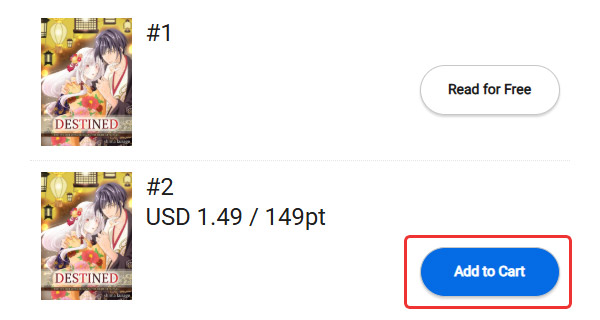
 Select "Add to Cart" for the items you would like to unlock.
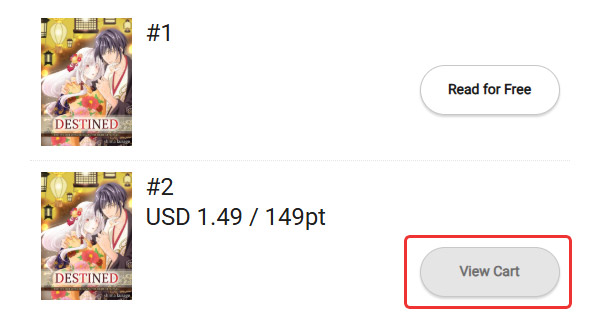
 The "Add to Cart" button will change to show "View Cart". Select it to see your Cart.
You can also go to your Cart by selecting the cart icon on the upper-right corner. The number in the red circle shows how many items you have in your Cart.

Unlocking Items In Your Cart
 After confirming the items in your Cart, select "Proceed to Checkout" (If you are not using any coupons). This will bring up a confirmation screen, where you can select your payment method and whether you want to use points.
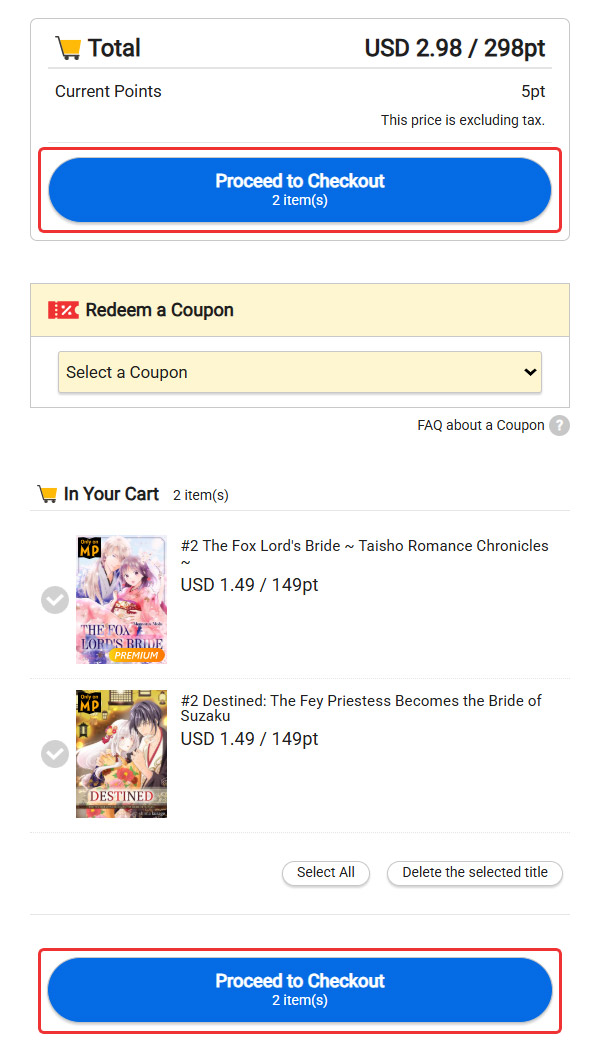
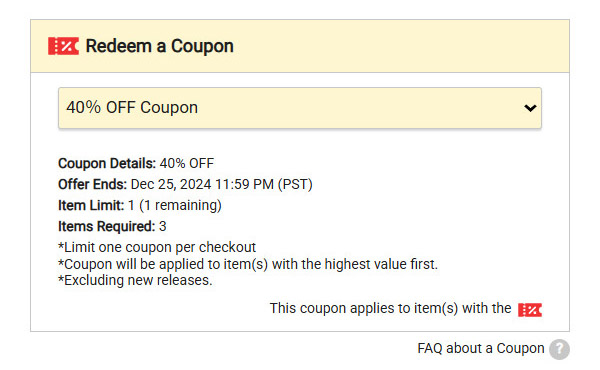
When using a coupon, select the coupon you would like to use. Then, confirm which items the coupon is applied to and the total price before proceeding to checkout.
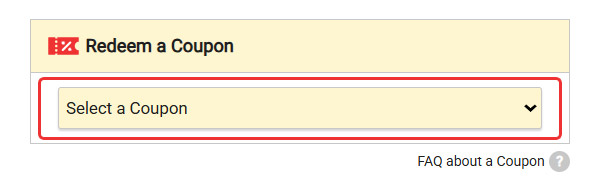
Before selecting a coupon
hen there is a coupon that can be applied, the "Redeem a Coupon" box will appear. Select the coupon you would like to use from the dropdown list.
After selecting a coupon
Once a coupon is selected, it will be applied in order of highest value amongst the eligible items. The total price will be re-calculated once the coupon is applied. For details on how to use a coupon, see here.
Deleting Items in Your Cart
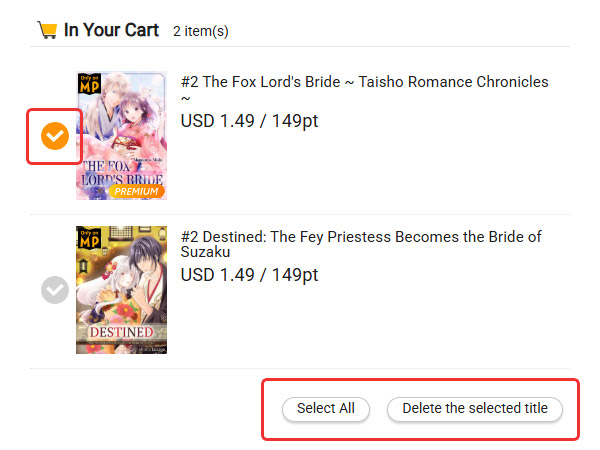
Select the items you would like to delete. The checkmark next to the those items will turn orange.
 Then, go to "Delete the selected title".
 If you would like to remove all of the items in your Cart, choose "Select All" first, then "Delete the selected title".
FAQ about a Cart
?


