


Sorry! You need an account to do that! Sign up now to get the most out of your MangaPlaza experience!
Already registered?
An error has occurred.
Please make sure you have a stable connection and try again.
An error has occurred.
Please make sure you have a stable connection and try again.

 Log in
Find Titles
Search Menu
 New
New Best Sellers
 SALE
SALE Coupon
 Now Free
Search by Popular Keywords
Others
- Search by Popular Genres
- Romance
- MP Originals
- Action
- BL
- Adult Romance
- Yuri
- Fantasy
- Drama
- Horror
- Harlequin
- Light Novels
- View All Genres
An error has occurred.
Please make sure you have a stable connection and try again.
FAQ
- I want to add MangaPlaza to my device's home screen.
- Safari:
1. Go to the MangaPlaza homepage on your device’s Safari web browser.
2. Tap the [Share] button on the toolbar.
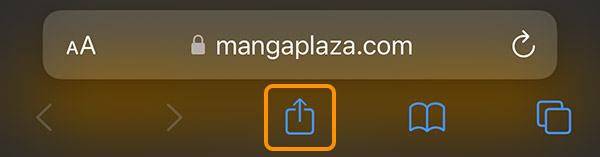
3. Tap [Add to Home Screen].
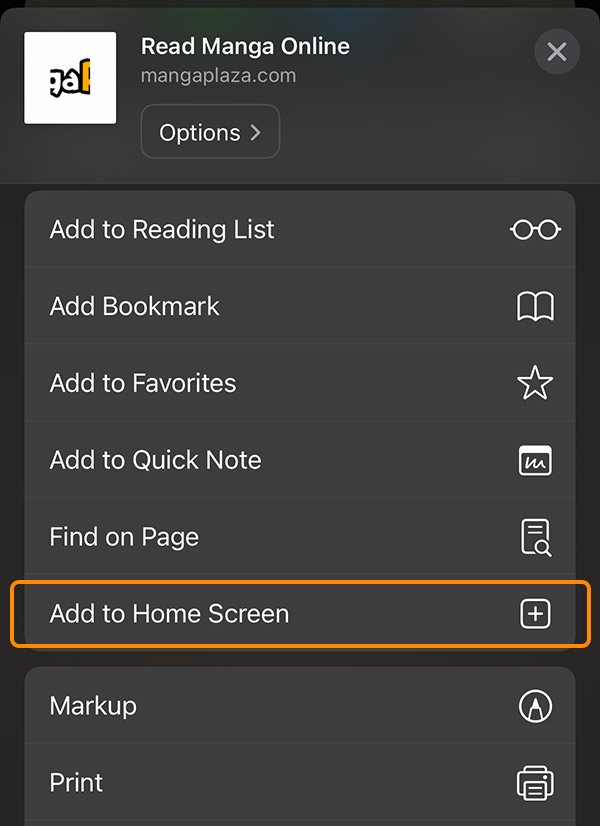
4. Tap [Add] at the top-right corner.
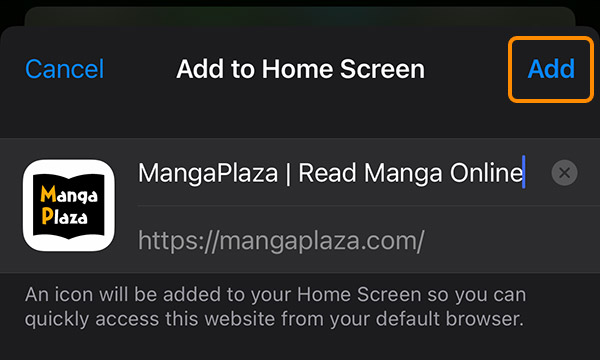
5. A MangaPlaza icon will appear on your home screen. When you tap this icon, the MangaPlaza homepage will open on the Safari web browser.
Google Chrome:
1. Go to the MangaPlaza homepage on your device’s Google Chrome browser.
2. Tap the settings icon at the top-right corner.

3. Tap [Add to Home Screen].
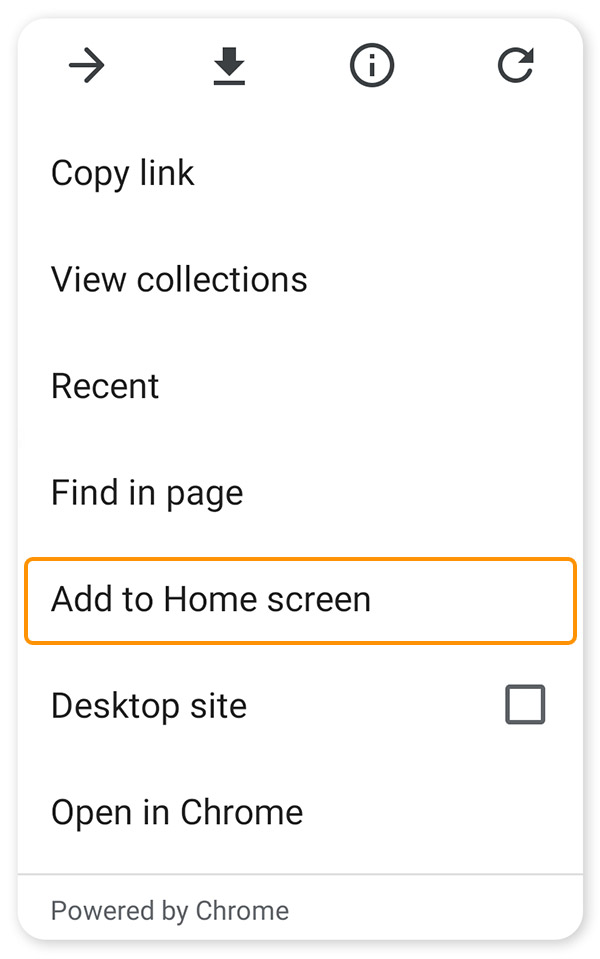
4. Tap [Add] at the bottom-right corner.
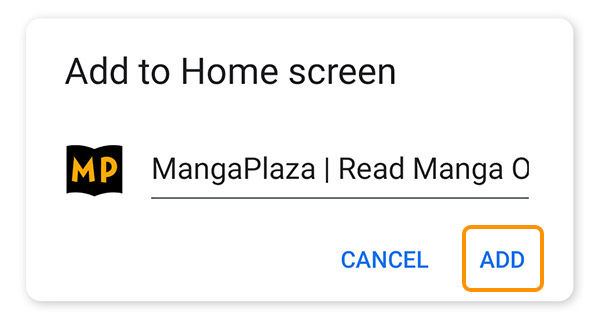
5. A MangaPlaza icon will appear on your home screen. When you tap this icon, the MangaPlaza homepage will open on the Google Chrome browser.
Still have an issue?
Subscribe to our newsletter and get this coupon?
・Click "OK" to subscribe and receive info on sales, news about popular titles, and more to your email!
・You can unsubscribe at any time from My Page > Email Notifications.


